Your Schedule
Which nights need a decision?
Choose one or two busy evenings when knowing dinner ahead of time would be a relief.
Learn to Meal Plan
A useful meal plan doesn’t need to fill every night. Choose a few dinners, make a grocery list, and give your week a little more breathing room.
First, Look at Your Week
Give yourself a few minutes to look ahead. Decide where a plan would help most, then start there.
Your Schedule
Choose one or two busy evenings when knowing dinner ahead of time would be a relief.
Your Energy
Put a familiar, simple meal on a full day. Save more involved cooking for when you want to do it.
Your Kitchen
Look in the fridge and pantry before picking recipes. Start with ingredients you already have.
Choose & Plan
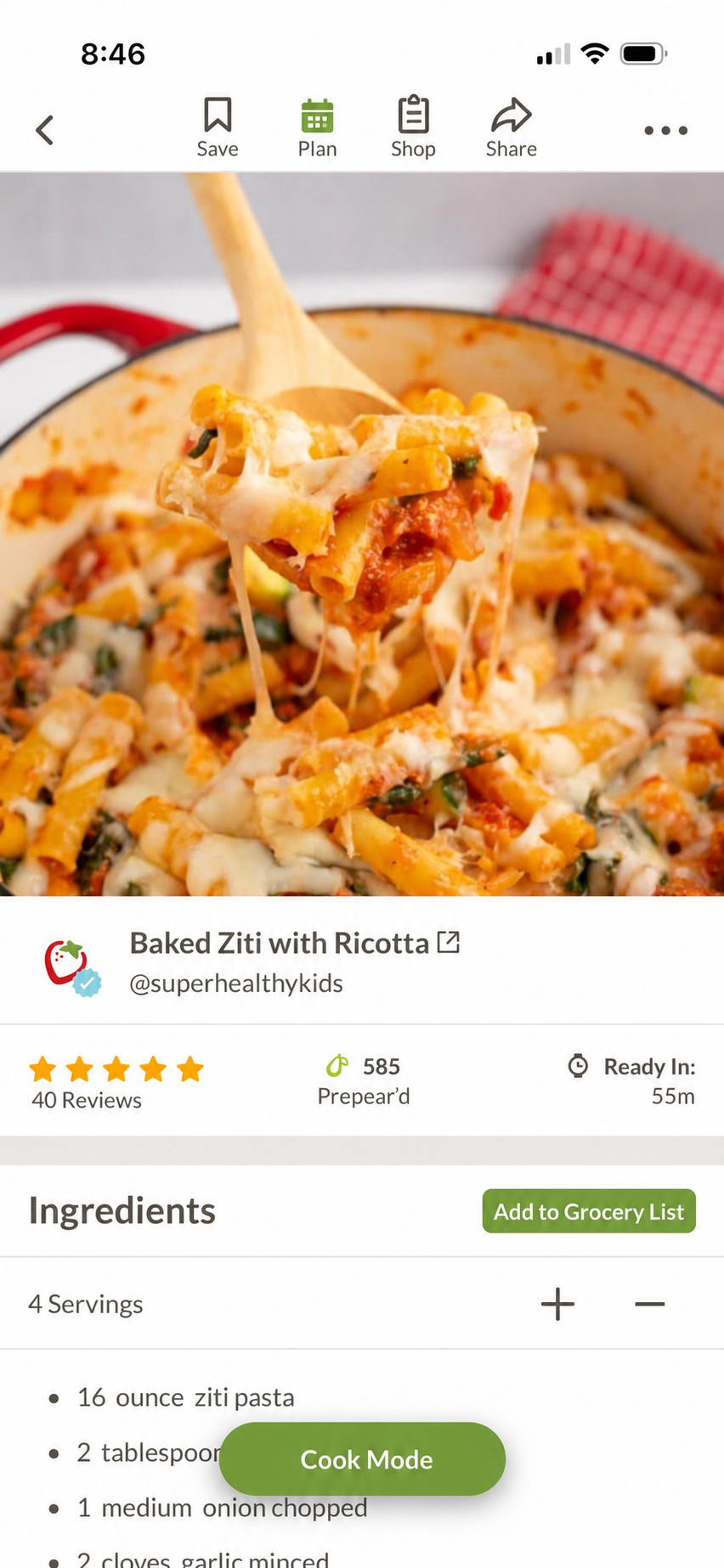
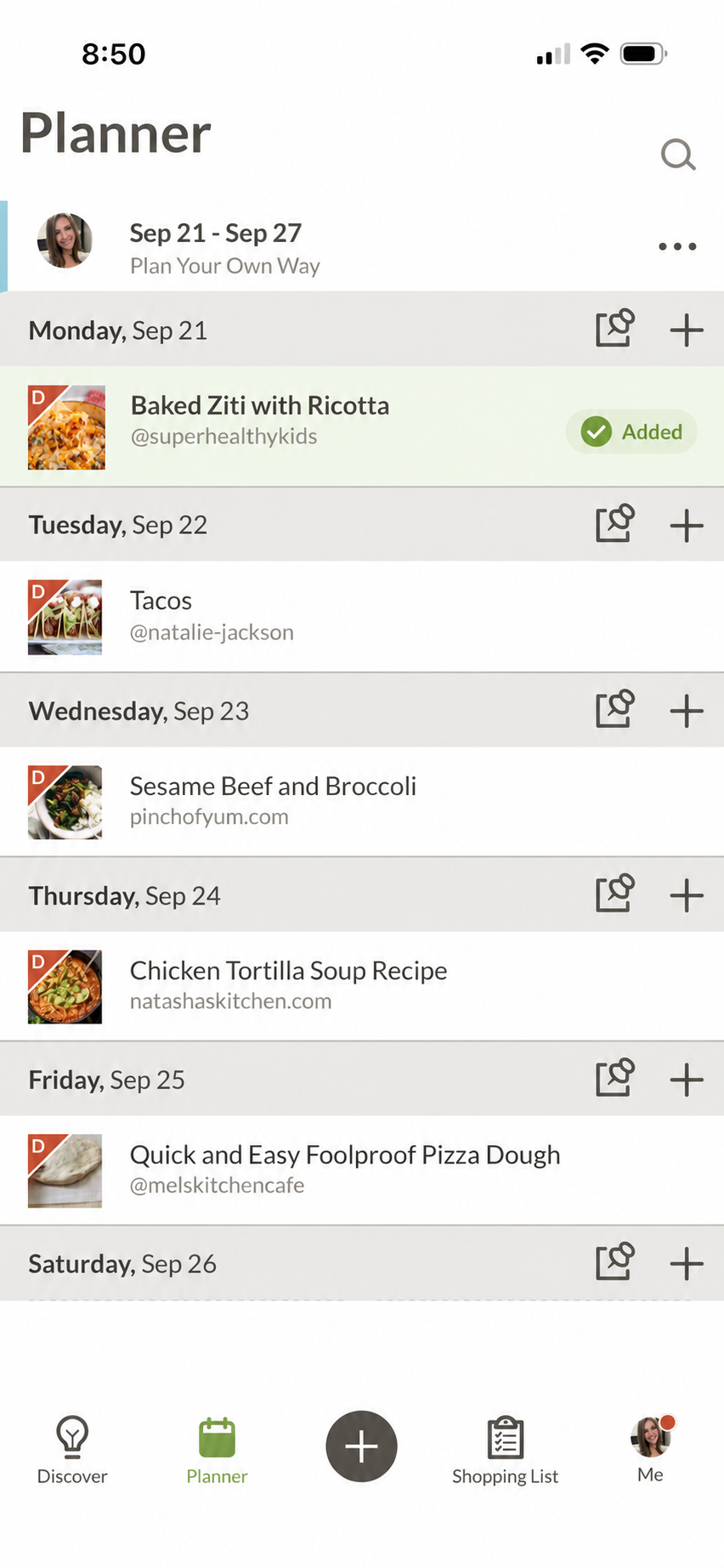
Open a saved recipe you’d like to cook. In Prepear, tap Plan at the top of the recipe. Review your meals in your Planner.
Leave space for leftovers, a night out, or a change of plans. Your calendar doesn’t need a recipe in every slot.
Before You Shop
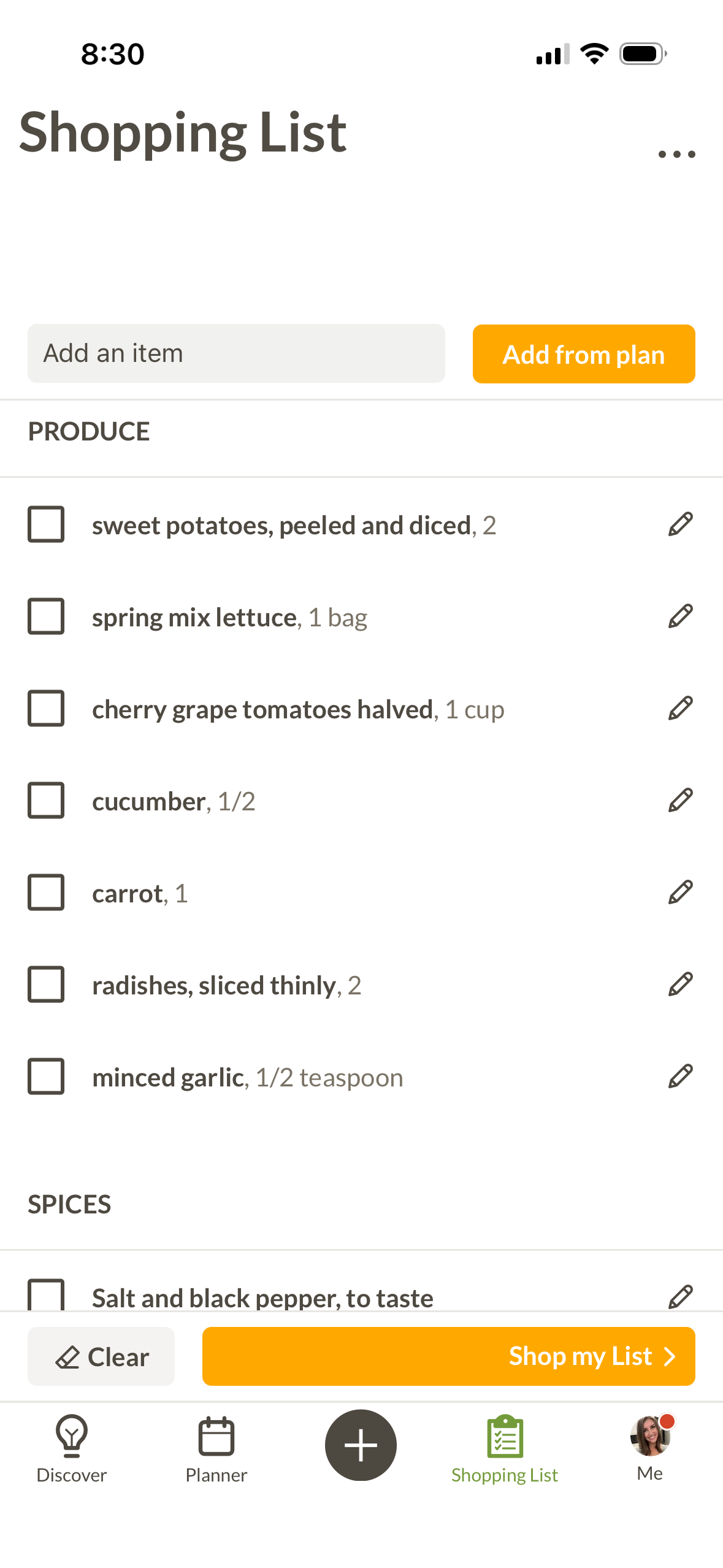
In your Shopping List, tap Add from plan to bring in ingredients from your planned meals.
Review your fridge, freezer, and pantry so your list reflects what you need.
Include the other essentials you want to pick up.
Keep it handy when you head to the store.
For the Night Plans Change
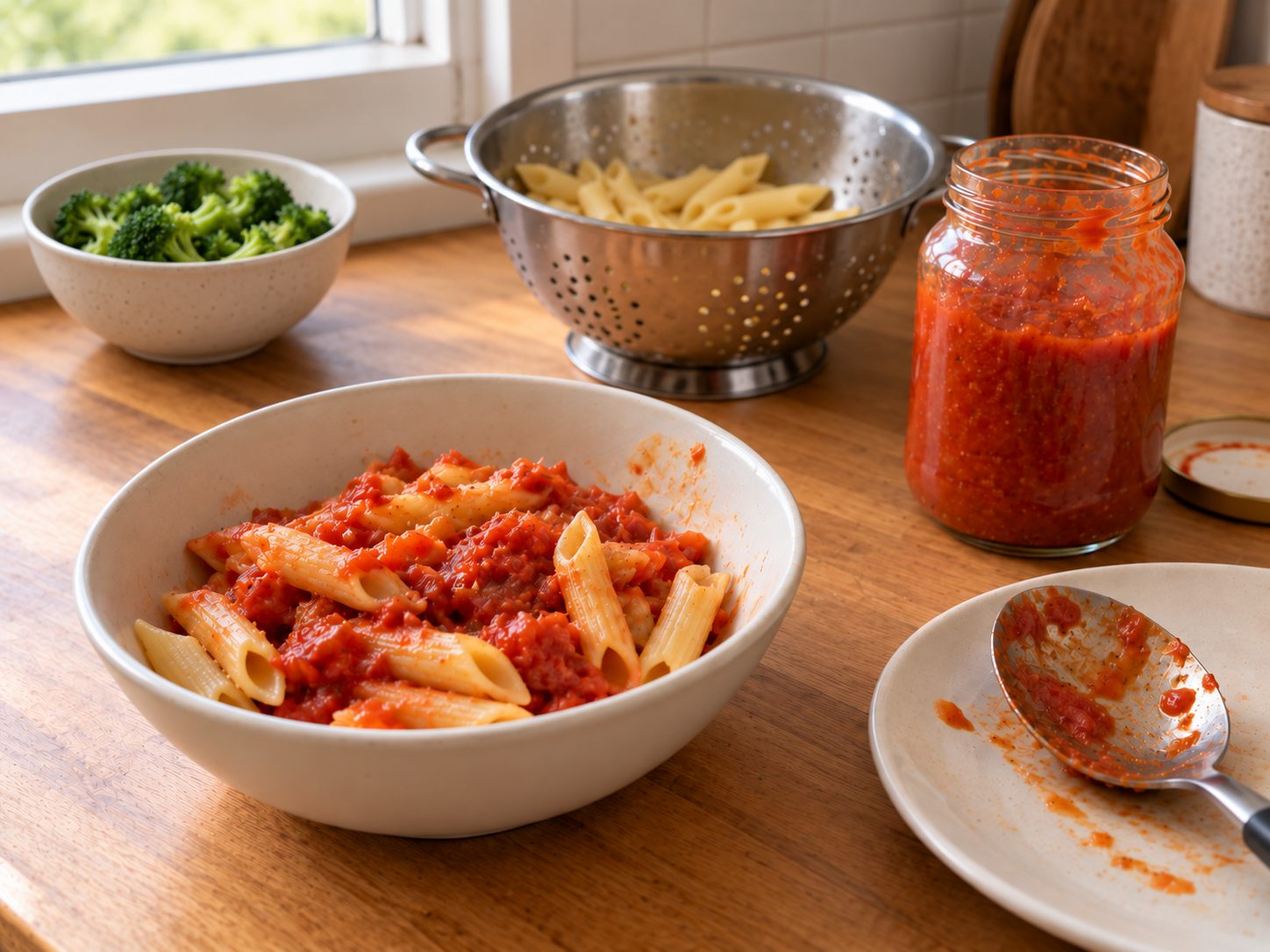
Choose one simple dinner you can make when you run out of time or energy. Here’s how to have it ready as an option:
Choose something you already know how to make, like pasta with jarred sauce, bean-and-cheese quesadillas, or soup from the freezer.
Check what you have and add anything missing to your grocery list. Choose ingredients that keep well in your pantry or freezer.
Make your backup instead of the dinner you planned. Move that meal to another night, and use or freeze any ingredients that won’t keep until then.
Make It Your Own
No. Plan the meals where a decision in advance would help. Leave the rest flexible.
You can make your own meal plans and grocery lists with everyday Prepear tools. Gold adds access to meal plans and cookbooks from participating recipe creators, plus unlimited ad-free Cook Mode. Explore Gold.
Visit Prepear Help for help finding what you need.
Make Next Week a Little Easier
Your recipes, meal plan, and grocery list—together.

© 2026 Prepear. All Rights Reserved.